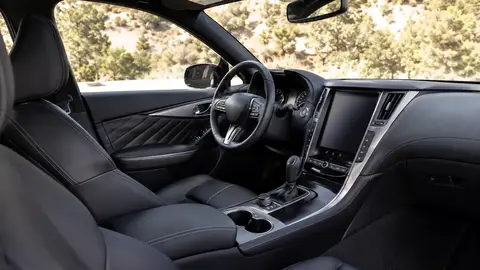
Apple CarPlay and Android Auto are now standard equipment on the vast majority of new cars sold since roughly 2022-2023, following pressure from consumer demand and, in some markets, safety-tech bundling. What separates a good system from a bad one isn't whether it has CarPlay/Android Auto — it's screen size (8 inches or larger is comfortable), whether the connection is wireless (no cable needed), touchscreen responsiveness, and whether the automaker's own software gets in the way of the mirrored interface. Some brands still gate wireless mirroring behind higher trims, so check the specific trim, not just the model.
At a glance: the best cars for Apple CarPlay and Android Auto
| Feature to check | Why it matters |
|---|---|
| Wired vs wireless support | Wireless avoids cable clutter and connection fumbling; some trims only offer wired |
| Screen size and resolution | Larger, sharper screens make maps and app icons easier to use at a glance |
| Physical shortcut buttons | Volume/tune knobs and home buttons reduce how long you look away from the road |
| Multiple device pairing | Useful for shared or family vehicles with more than one regular driver |
| Software update cadence | Some automakers push over-the-air updates that improve mirroring reliability over time |
Why almost every new car now has this
Apple CarPlay and Android Auto let a phone's navigation, music, and messaging apps display on the car's screen, and demand for them became so strong that they're now near-universal on new vehicles across mainstream and premium brands alike. The real differentiator between models today is implementation quality, not availability.
Wireless vs wired mirroring
Wired connections are reliable but mean keeping a cable in the car and plugging in every trip. Wireless CarPlay and Android Auto connect automatically once paired, which most owners find noticeably more convenient day to day — though wireless connections can occasionally be less stable in vehicles with weaker antenna placement or older software. Some automakers still reserve wireless mirroring for mid-to-upper trims or a factory options package, so check the specific trim's feature list rather than assuming the base model includes it.
Screen size, placement, and physical controls
A larger screen (generally 8 inches or bigger) makes map text and app icons easier to read at a glance, but size alone doesn't guarantee usability — screen placement (closer to the driver's natural sightline) and touch responsiveness matter just as much. Cars that retain physical volume knobs and shortcut buttons alongside the touchscreen tend to score better in usability reviews, since drivers can adjust volume or skip a track without hunting through a menu.
How the automaker's own software interacts with mirroring
Some manufacturers' native infotainment systems hand off cleanly to CarPlay/Android Auto, while others force you through several menu layers to get there, or revert to the native interface after certain actions (like a backup-camera view) instead of returning to the mirrored screen. This kind of friction rarely shows up in a spec sheet, so owner reviews and video walkthroughs of the actual infotainment system are more useful here than brochure claims.
A few automakers have begun offering their own built-in navigation and voice assistants as alternatives to CarPlay/Android Auto in certain markets or trims. If phone mirroring is a must-have, confirm it's included (not just a proprietary alternative) before buying.
What to test on a test drive
- Pair your own phone in the showroom or during the test drive, not just the dealer's demo device.
- Check whether the connection is wireless on the trim you're actually buying.
- Try common tasks — starting navigation, switching a song, replying to a text via voice — to judge real responsiveness.
- Check if the screen washes out in direct sunlight, a common complaint with glossy touchscreens.
Frequently asked questions
Do all new cars have Apple CarPlay and Android Auto now?
Is wireless CarPlay better than wired?
Can I add Apple CarPlay to an older car that doesn't have it?
Does a bigger touchscreen mean a better CarPlay experience?
Do CarPlay and Android Auto drain my phone battery?
Sources & further reading
Figures, prices and policy details were current at the last-updated date above. Automotive pricing, incentives and regulations change frequently — verify time-sensitive details with the linked primary sources. Read our editorial policy and fact-checking standards.